
Taking over as a new PTA treasurer means getting access to the money, the records, and the procedures you’ll need to follow. In your first 30 days you get your name on the bank signature card, collect the books and filings from the outgoing treasurer, learn the approval and signature controls your bylaws require, confirm the time-sensitive tax and insurance items are handled, and set up a system you can actually keep up with for the year. Do those five things and the rest of the job becomes routine.
I served as a PTA treasurer for three years across two school districts and trained the treasurers who came after me. The struggles I’ve seen usually come from trying to piece together how to do things that didn’t get transitioned. Maybe even tasks that didn’t come up at all for the outgoing treasurer or are being seen for the first time by anyone.
So as you work through this first month, keep a running note of anything you have to figure out for yourself, the things that were not written down anywhere. A couple of minutes capturing what you learned saves future you, and the next treasurer, from solving the same puzzle from scratch.
A quick note: the exact form names, dollar thresholds, and procedures below vary from one organization to the next. Always check your own bylaws and your state PTA’s financial procedures. What follows is the shape most PTAs, PTOs, and booster clubs share.
Week 1: Get access to the money
You cannot do the job until your name is on the account. This is the single most common thing new treasurers leave too late, and it stalls everything else.
- Get added to the bank signature card. The board authorizes the new signers by motion, recorded in the minutes. You then take that documentation, photo ID, and usually a copy of the bylaws to the bank. Add the new signers before removing the old ones so the account is never left without two authorized signers, and make sure departing officers are removed so they no longer have access.
- Get the online banking and bill-pay login. Set up your own credentials. Do not inherit the prior treasurer’s personal login. If you must take over an old account, change the password and phone number used for multifactor authentication.
- Confirm who the other authorized signers are. Most PTA bylaws require two signatures on every payment, and the signers cannot be related or live in the same household. Know who your other signers are before your first reimbursement lands.
Week 1-2: Collect the records
Ask the outgoing treasurer for a complete handoff packet. This is the foundation for your year, and anything missing is far easier to track down now, while it’s still fresh in their mind.
You should receive:
- The approved budget for the year
- The ledger or check register (the running record of every transaction)
- All bank statements and monthly reconciliations
- The most recent year-end financial review or audit report
- Any unpaid bills, outstanding checks, or open reimbursements
- The IRS filing confirmation (proof the 990-N or 990-EZ was actually filed)
- Logins, vendor contacts, the W-9s on file, and any recurring tasks or reminders
Week 2: Learn the controls your bylaws require
 Start by finding out how reimbursement requests actually reach you. In a lot of PTAs it is a paper form dropped in a box in the school office; in others it is an email address or an online form. Whatever yours is, check it on a set cadence, at least once a week, so volunteers are not left waiting and requests do not pile up right before a busy event.
Then learn the rules you are now responsible for enforcing before you approve or pay anything. Three controls show up in almost every set of PTA financial procedures:
- Authorization before spending. Adopting the budget does not by itself authorize spending. An expense has to be within the approved budget and released by the membership, or authorized by the board within the limits your bylaws set and ratified by the membership, before money moves. “In the budget” means the line still has money left in it, not just that the category exists.
- Two signatures on every payment. No single person should be able to move the organization’s money alone. This applies to electronic payments too, not just paper checks. (See the PTA reimbursement process for how the two-signature rule works on an electronic payment.)
- A monthly review by a non-signer. Most PTAs have someone who is not a check signer review and sign the monthly bank statement and reconciliation. If that role exists, find out who holds it.
Read your bylaws and your state PTA’s financial section. Following your organization’s documented procedures can help limit your personal liability if something goes wrong.
Week 2-3: Handle the time-sensitive items
A few things have deadlines and consequences, so confirm them early instead of discovering them in the fall.
- Confirm the tax filing. Almost every PTA is a 501(c)(3) and must file an annual IRS return: the 990-N e-Postcard if gross receipts are normally $50,000 or less, or the 990-EZ above that. It is due on the 15th day of the fifth month after your fiscal year ends. Three consecutive missed years means automatic loss of tax-exempt status, so confirm last year’s filing actually happened.
- Confirm insurance and state PTA dues are current. Many councils require proof of insurance and per-member dues remitted on a schedule.
- Confirm the prior year was reviewed. Most bylaws require a year-end financial review or audit before the new treasurer fully takes over. If it has not been done, get it scheduled. It gives you a verified starting point to build your year on, and the outgoing treasurer a clean close to theirs.
Week 3-4: Set up a system you can keep up with
Now decide how you will actually run the year. A well-designed system can save time, reduce errors, and make it that much easier to eventually hand things off to your successor.
Pick one place where the budget, the approvals, the payments, and the books all live together. The test is simple: when someone asks to be reimbursed in November, how many separate steps and handoffs stand between their request and the money landing in your books? Every handoff is a place it stalls. For a wider look at the options, see our honest roundup of the best PTA treasurer software.
Your first-30-days checklist
- Added to the bank signature card; departing officers removed
- Your own online banking and bill-pay login set up
- Other authorized signers confirmed
- Full handoff packet received (budget, ledger, statements, reconciliations, financial review, IRS confirmation); anything missing noted for follow-up
- Bylaws and state PTA financial procedures reviewed
- Reimbursement procedure understood: who pre-approves, approves, reviews, pays, and records
- Reimbursement intake found (where requests come in); a weekly check scheduled
- Last year’s IRS 990-N/990-EZ filing confirmed
- Insurance and state/council dues confirmed current
- Prior-year financial review done or scheduled
- One system chosen for budget, approvals, payments, and books
Where Volo Cash fits
All of this might sound like a lot, but it doesn’t have to be. Volo Cash is designed to make the volunteer treasurer’s job easy:
- Volunteers submit online. One form on their phone, the budget category chosen, the receipt attached. No paper request to lose, no account to create.
- The approvals match your bylaws. You configure who signs (treasurer plus president, any two of four, pre-approvers by category) so the controls your bylaws require are built into the workflow instead of run by hand.
- Payments carry the two signatures. An electronic-payment authorization collects the required signatures, so you pay straight through your bank’s bill pay without chasing two people for ink.
- Your signers stay documented and current. Volo Cash knows who your authorized signers are from the signing rules you set. It updates them as officers change, so you and the next treasurer can see at a glance who else signs, without digging through bank paperwork.
- It lands in your books automatically. When an expense is paid, it posts against the right budget line, so reconciliation is matching, not re-entry.
- Your history stays complete and searchable. Every record is kept and can be searched by you and the treasurers who follow you.
- The reminders keep your documentation alive. The system emails you when a task is due, including ones a predecessor set up, and you can capture what you learn along the way as new tasks that carry forward to whoever comes next. (More on this in how to document the treasurer role.)
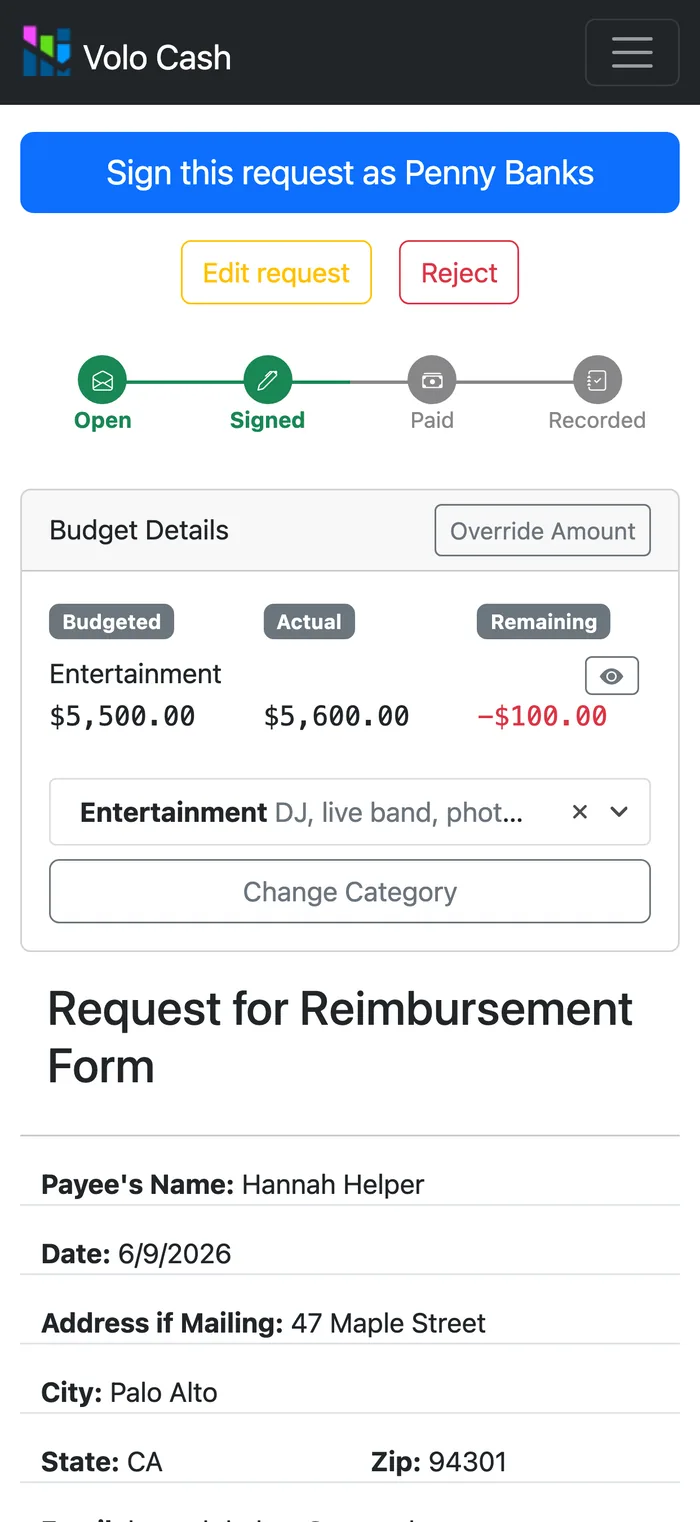
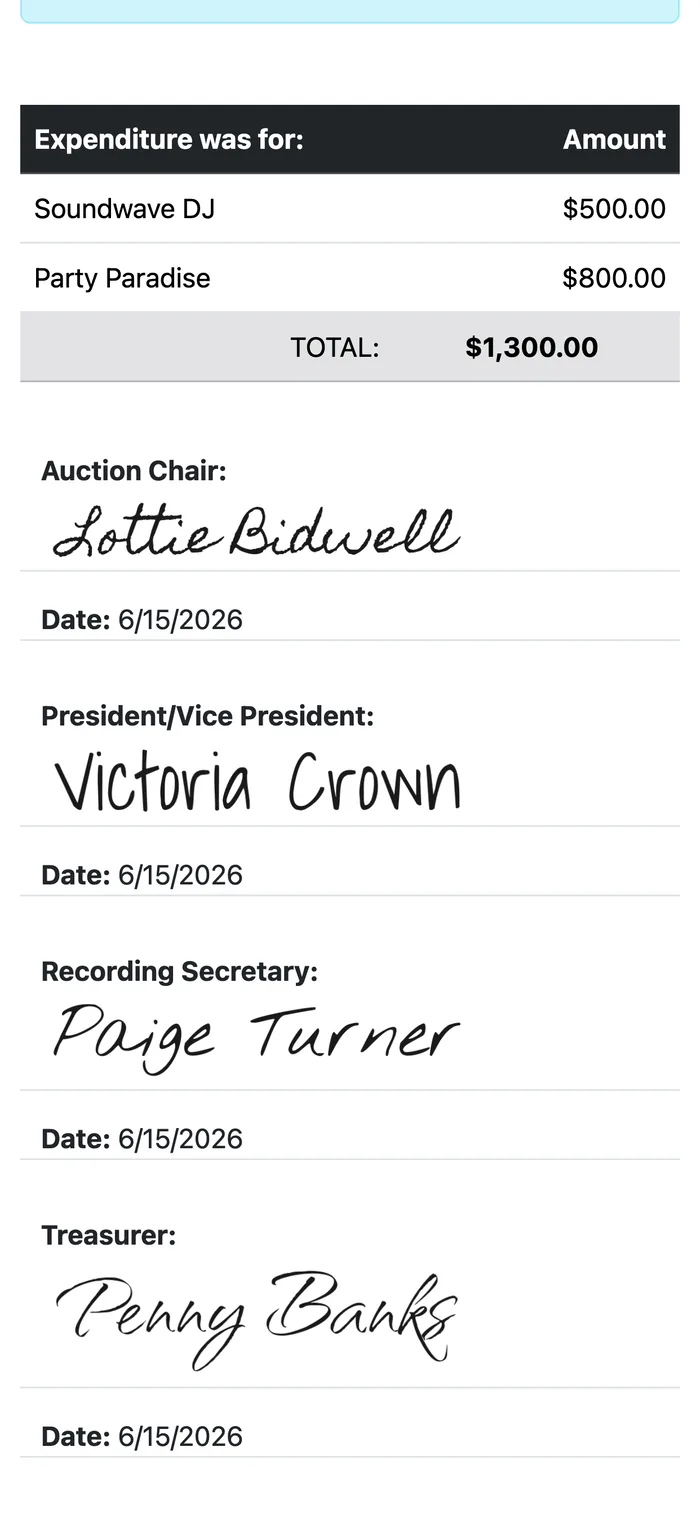
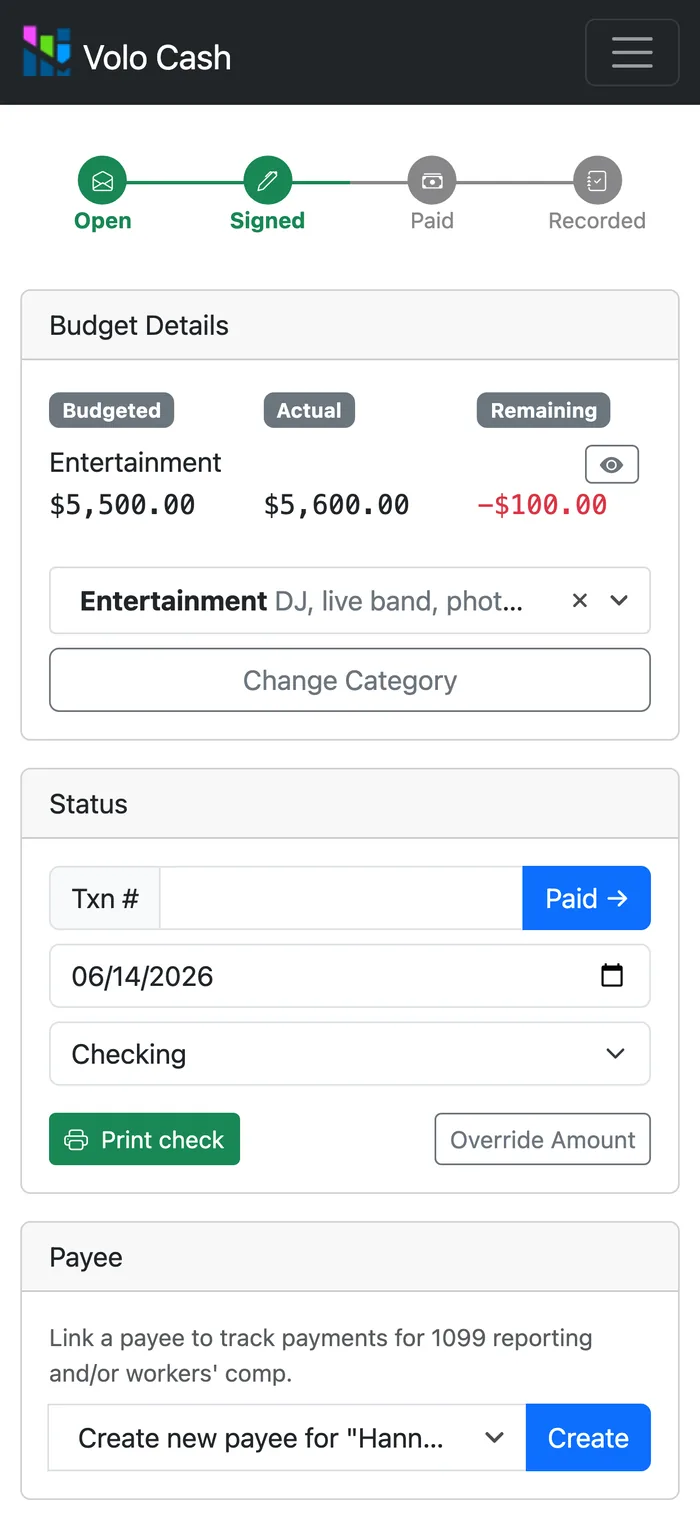
You can try it free for three months and run a real reimbursement through your own organization’s setup before back-to-school season hits.
And if you are reading this because you are the one leaving the role, the other side of this handoff is here: how to hand off the PTA treasurer role.